

AI Video Upscaler

Soft, blurry, low-res footage in — crisp 4K out. The generator below runs AI video upscaling that rebuilds detail instead of stretching pixels: sharper edges, cleaner motion, faces that stay natural.

Product hero
Social ad
UGC take
Listing clip
1
26

Two ways to upscale:

Free daily credits. No install. Faces stay natural.

The Kind of Detail 4K Upscaling Preserves

Foliage, fabric, skin, light — AI video upscaling only works when these survive the render. Every frame below was generated at high resolution on VidGlory.

Highly detailed floating island landscape rendered in crisp 4K quality
Portrait with fine skin and fabric texture preserved after 4K upscaling
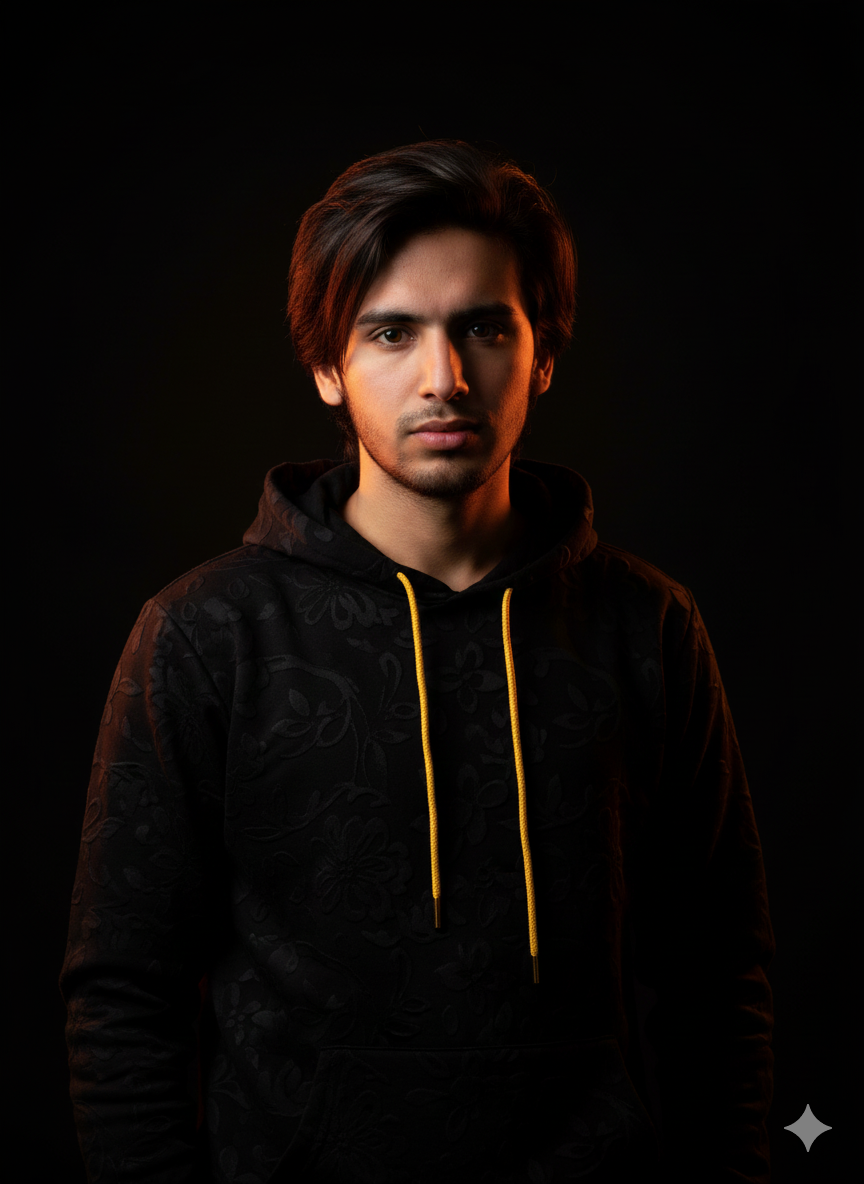
Dark cinematic portrait showing sharp detail after video upscaling

Generated end-to-end on VidGlory — the same pipeline that renders your upscaled clips.

Why Upscale Video with AI Instead of Stretching It

Resizing doubles pixels. AI video upscaling rebuilds what the pixels should have been.

Detail is reconstructed, not invented

A traditional upscaler stretches pixels and calls it 4K. AI video upscaling reads the scene — edges, textures, hair, fabric — and reconstructs the detail a higher resolution would actually contain, which is why an upscaled clip can genuinely look sharper instead of merely larger.

Motion stays clean at 4K

Naive upscaling shimmers and flickers frame to frame. VidGlory's video upscale keeps temporal consistency, so fine detail stays stable while the scene moves — no crawling edges, no pulsing noise, no surprise artifacts when you pause on a single frame.

Faces survive the render

Upscaled skin is where most tools fail — plastic, waxy, over-smoothed. Here faces keep their texture and character, because natural skin is treated as detail to preserve, not noise to smooth away. That is what separates a real AI video upscaler from a resize button.

What the AI Video Upscaler Does

Built for footage that has to look sharp everywhere it plays.

Up to 4K output

Take 720p or 1080p footage to crisp 4K — sharp enough for large screens, projections and premium ad placements without a reshoot.

One click, no timeline

Upload the clip, pick the target resolution, render. There's no settings maze — the upscale engine handles deblurring, denoising and detail reconstruction together, so the 4K result arrives ready to publish without a cleanup pass.

Pair it with generation

Upscale existing footage, or generate brand-new clips directly in high resolution — both run in the same generator below, so one workflow covers every quality need.

Upscale Your Video in 3 Steps

From soft footage to crisp 4K in minutes — entirely in the browser, no install, no editing timeline.

  1. 1

    Upload the soft clip

    Drop in the video that needs help — old footage, a low-res export, AI clips that came out blurry. MP4 and common formats work as-is.

  2. 2

    Choose the target resolution

    Select up to 4K in the generator. The AI video upscaler analyzes the frames and plans the detail reconstruction before rendering.

  3. 3

    Render and download

    Preview the sharpened result and export your 4K file — ready for large screens, client deliverables and premium ad placements. First credits are free.

Who Upscales Video with AI

Anyone stuck with footage that's too soft for where it needs to play.

Archivists & old-footage owners

Rescue legacy clips — family videos, old b-roll, dated exports — and bring them up to modern 4K without re-shooting what can't be re-shot.

Ad creative teams

A winning ad exists only in 720p? Upscale it to 4K and run it on premium placements — the proven creative keeps working at broadcast quality, and every future variant starts from the sharp version.

AI video creators

Clips generated at lower resolution or on faster settings get a second life — upscale the keepers to crisp 4K instead of re-rendering everything from scratch, and treat the video upscaler as the last step of your generation pipeline.

Frequently Asked Questions

Ready to See Your Footage in 4K?

Upload the soft clip at the top of this page and render a crisp upscale free — no install, no timeline.